
For years, Weebly and Wix have been considered two of the most beginner-friendly website builders on the market. Both offer drag-and-drop editors, pre-built templates, and the ability to get online without coding. Both target freelancers, small businesses, creators, and anyone who wants to build a website without hiring a developer.
But in 2025, the question “Weebly or Wix?” isn’t really a comparison anymore – it’s a crossroads. One platform continues evolving, adding new features, AI tools and professional solutions. The other has largely stopped developing, raising concerns about longevity, security and relevance.
If you’re just starting to explore website builders or if you’re already using Weebly and experiencing limitations, this article is for you. We break down everything you need to know about how these two platforms stack up – and why the clear choice for future-proof web design is Wix.
A Quick Overview of Both Platforms
Before we dive into comparisons, let’s quickly review both platforms as they stand today.
What Is Weebly?
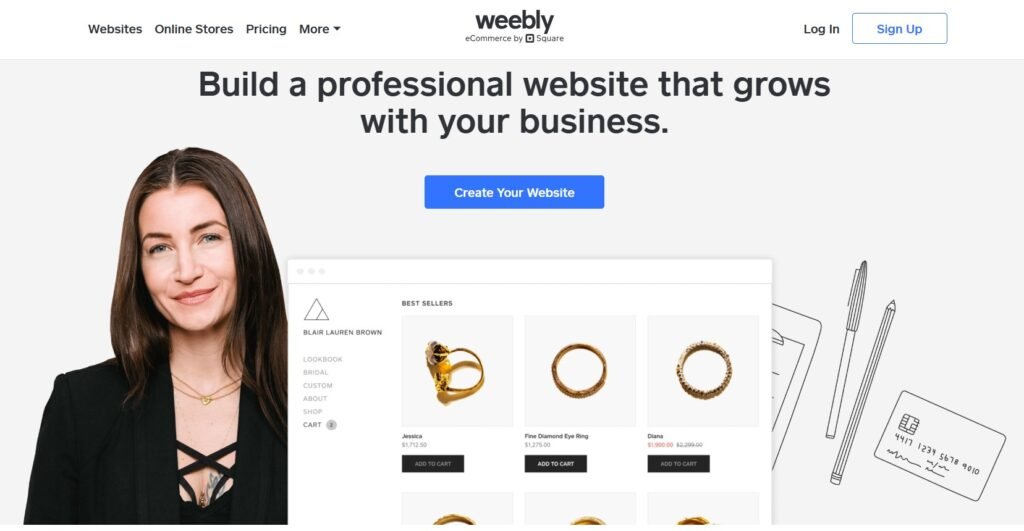
Weebly is a website builder founded in 2007. In its early days, it became famous for offering one of the first truly easy drag-and-drop website editors. Millions of users relied on it to build personal blogs, portfolios, small business websites, and simple online stores.
In 2018, Weebly was acquired by Square (now Block, Inc.), the company best known for its point-of-sale (POS) tools for small businesses. Since the acquisition, Weebly has received minimal development. Rather than investing in the platform, Square shifted focus to its own product Square Online, which is built specifically for eCommerce and retail.
The result is stark. Weebly is widely described by industry reviewers as being in maintenance mode. The mobile app has been officially discontinued. The app store has accepted no new submissions since 2020, meaning the integrations available today are the same ones that existed years ago, many of which no longer function correctly. Customer support staffing has been reduced, response times have lengthened, and documentation has gone years without meaningful updates.
Templates haven’t been refreshed since before the acquisition. Some now return 404 errors on preview. The HTML the platform generates is bloated and outdated, lacking the modern schema markup and responsive layout standards that search engines and browsers expect today. Square’s own documentation now explicitly states: “We encourage new sites to be built with Square Online” — a direct signal that Weebly is no longer the company’s recommended product even for first-time users. There is no public roadmap, no active changelog, and no official communication about the platform’s future direction.
If you are evaluating Weebly as a new user, you are considering building on a platform its own owner no longer actively endorses.
Read Also:
What Is Wix?
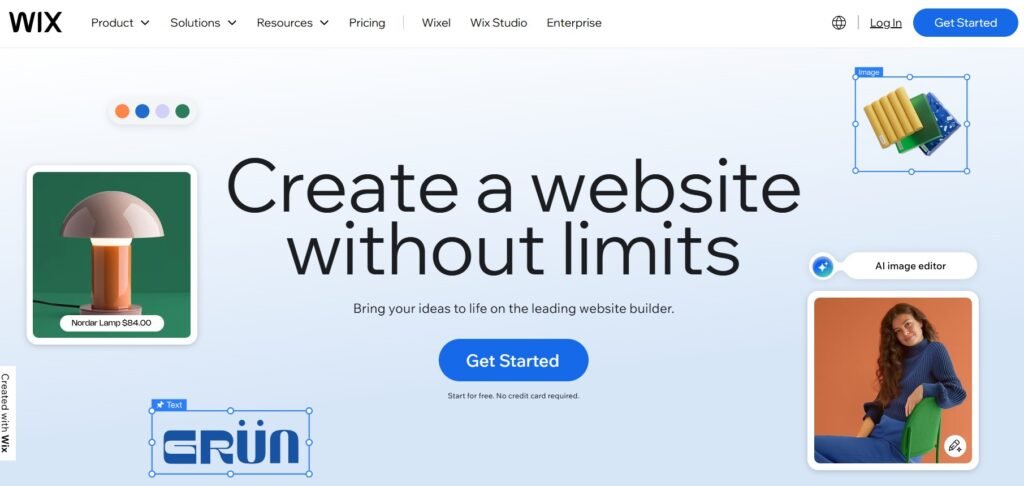
Wix launched the same year as Weebly but took a fundamentally different path. From the start, it positioned itself as a flexible, design-first platform. Over time, Wix expanded from a simple editor into a complete website-building ecosystem used by individuals, small businesses, agencies, and enterprise brands.
What sets Wix apart today isn’t just the breadth of its feature set, it’s the pace at which it evolves. The platform releases new features on a rolling basis, publishes a public product roadmap with quarterly timelines, and actively invests in emerging areas like AI-generated content, agentic web compatibility, and generative engine optimization (GEO). For any business that cares about long-term viability of their chosen platform, this matters enormously.
Today, Wix offers:
- 900+ designer-made templates across 100+ industries
- A full drag-and-drop editor with pixel-level design freedom
- AI-powered tools for content generation, design assistance, and image creation
- Built-in business tools: bookings, online store, blog, events, forums, and CRM
- Wix Studio — a professional workspace for designers and agencies, with AI-Powered Page Builder, Global Design Tokens, and team collaboration
- Velo — an advanced developer mode for custom logic, APIs, and database-driven sites
- 300+ apps and integrations in the Wix App Market
- GEO tools designed to optimize site visibility in AI-powered search engines like ChatGPT, Perplexity, and Google AI Overviews
- NLWeb integration that makes Wix sites natively readable and navigable by AI agents
Wix also recently launched a HIPAA Compliance Solution, extending its reach into healthcare and health services, a clear sign the platform is moving upmarket while remaining accessible to beginners.
Read Also:
Key Differences Between Weebly and Wix
Let’s break down how these platforms compare in the key areas that matter most when choosing a website builder.
1. Editor and Design Flexibility
Weebly
Weebly’s editor is clean and beginner-friendly, but structurally limited. You drag content blocks onto the page, but free positioning is not possible, the layout is controlled by the template grid. There is no advanced mobile editor; what you see on desktop largely carries over as-is. Deeper styling requires custom CSS, which defeats the purpose for most non-technical users.
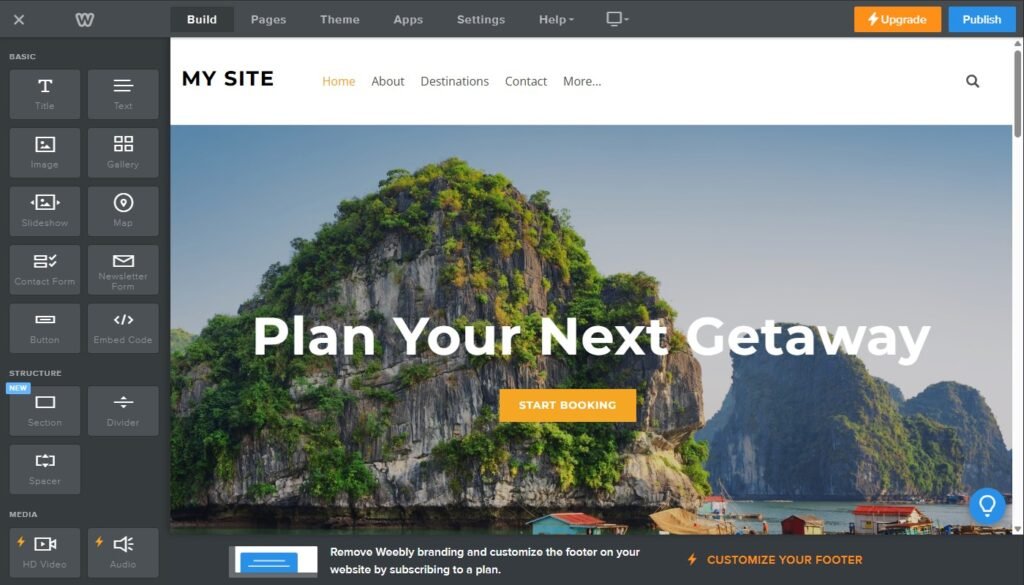
For someone who needs a basic informational page online quickly, this is workable. But the moment a user wants to adjust layout, create visual hierarchy, or build something that reflects a real brand identity, the editor becomes a hard constraint rather than a helpful tool.
Wix
The Wix Editor gives you genuine freedom. Every element: text, image, button, section, video can be placed, resized, and layered anywhere on the canvas. You can animate elements on scroll, assign site-wide branding styles that update everywhere at once, and customize the mobile layout independently from the desktop version.

Wix Studio goes significantly further for designers and agencies. It introduces CSS grid-based layouts, global design tokens for brand consistency across multi-page and multi-site projects, reusable components that update across all instances simultaneously, and an AI Design Assistant that automatically reviews and corrects spacing, alignment, and responsiveness. For teams working on client sites, Wix Studio also includes collaboration tools and a shared workspace.
Winner: Wix — a capable editor for beginners that scales all the way to professional design work.
2. Templates and Visuals
Weebly
Weebly offers roughly 50 templates. At the time of their creation, they were adequate for simple sites. Today, they have not been meaningfully updated since before the Square acquisition. Visually, they reflect design conventions from several years ago, lacking modern typography, animation, and responsive layout standards that users now expect. Some templates fail to render correctly on preview altogether. There is no variation for niche industries, no blank-canvas starting option, and no AI-assisted layout generation.
Wix
Wix offers over 900 templates spanning more than 100 industries: restaurants, fitness studios, real estate agencies, photographers, law firms, SaaS companies, nonprofits, and more. Every template is mobile-optimized, fully customizable, and built to current design standards.
Beyond templates, Wix gives users three starting options: choose a pre-built template, start from a completely blank canvas, or use the Wix AI Website Builder, which generates a full site: structure, pages, copy, and images, based on a short description of your business. This last option is particularly valuable for users who want a professional result quickly without spending hours in the editor.
Winner: Wix — far more choice, far better visual quality, and multiple paths to get started.
3. AI Tools and the Future of Web Search
The website builder landscape today is not just about templates and drag-and-drop editors. The rise of AI-generated search results, large language model-powered discovery, and autonomous web agents has created a new and practical requirement: your website needs to be understandable not only by Google’s crawler, but by AI systems that are increasingly mediating how users find information online. This is a real and growing concern for any business that depends on organic visibility.
Weebly
Weebly has no AI features of any kind. No content generation, no intelligent design suggestions, no tools for AI-search visibility, and no roadmap indicating this will change. The platform was designed at a time when these technologies did not exist, and nothing has been done to bridge that gap.
Wix
Wix has made AI a core part of its platform infrastructure, not a bolt-on feature. Available tools include:
- AI Website Builder — generates a complete site from a short business description, including page structure, written content, and images
- AI Text Creator — produces SEO-optimized page copy, product descriptions, and blog drafts calibrated to your brand voice and target keywords
- AI Meta Tag Generator — automatically suggests optimized title tags and meta descriptions for every page on your site
- AI Design Assistant (Wix Studio) — analyses your layout and automatically corrects spacing, alignment, contrast, and mobile responsiveness
- GEO Tools — a dedicated set of features for optimizing content visibility in AI-powered search engines, including traffic tracking from ChatGPT, Perplexity, and Google AI Overviews
- NLWeb Integration — enables Wix sites to be natively read and navigated by AI agents, making your site accessible in agentic and conversational discovery environments
All of these are live, documented features with release notes — not roadmap promises.
Winner: Wix — the only platform of the two actively built for how search and discovery works today.
4. Features and Apps
Weebly
Weebly includes built-in features for basic blogging, simple contact forms, and entry-level eCommerce powered by Square. The App Center has been frozen since 2020, no new apps can be submitted and existing ones receive no updates. A significant number of previously available integrations have stopped working without any official fix or replacement. If your business depends on connecting your website to external tools: email marketing, CRM, scheduling, analytics, the Weebly ecosystem will increasingly let you down.
Wix
Wix includes:
- eCommerce tools (abandoned cart recovery, subscriptions, product variants, dropshipping)
- Booking systems for salons, coaches, consultants and classes
- CRM for customer management
- Restaurants platform with menus, reservations and delivery
- Podcast and video hosting
- Built-in blogs and content management tools
- Form builder with automation workflows
- WhatsApp order update automations for restaurant and delivery businesses
- HIPAA Compliance Solution for health service providers in the US
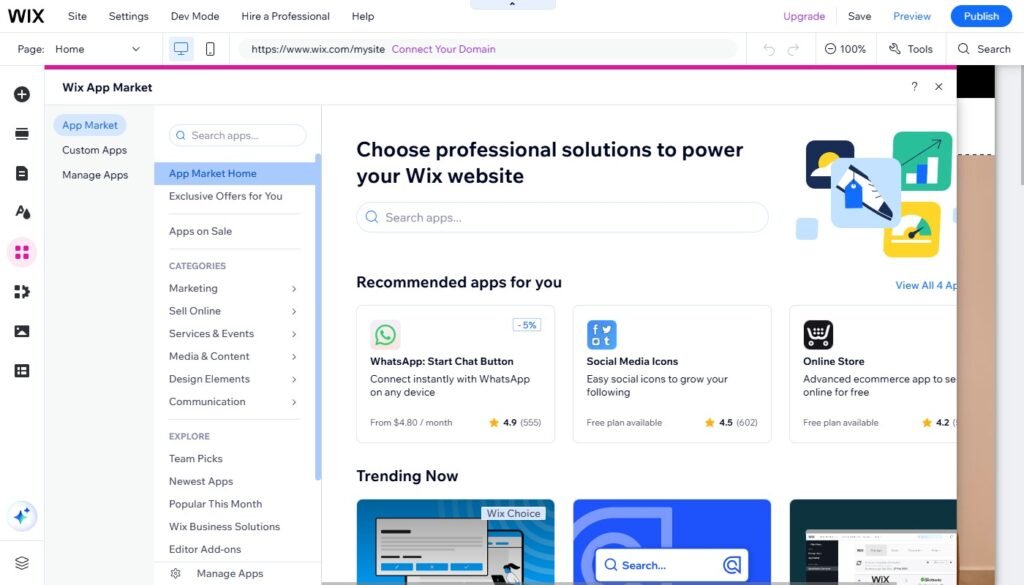
These features are supported by the Wix App Market with 300+ extensions like HubSpot, Zapier, Mailchimp, Google Reviews and live chat.
Winner: Wix – a full business-ready ecosystem.
5. SEO and Growth Tools
Weebly
Weebly supports basic SEO settings: meta tags, alt text, and 301 redirects. But that’s about it. There are no integrations with modern SEO tools, no schema support, no automated redirects, and no native blog optimization features.
Wix
Wix has invested heavily in SEO. Features include:
- Auto-generated schema markup
- Redirect manager for large migrations
- Editable meta tags and dynamic SEO for blogs and stores
- Integration with Google Search Console
- Built-in SEO checklist and auditing
Wix sites consistently rank well when optimized by users – disproving the idea that builders are “bad for SEO.”
Winner: Wix – ideal for both small businesses and content-driven sites.
6. Platform and Hosting Reliability
Weebly
Weebly remains technically operational, but the surrounding infrastructure is deteriorating. The mobile app is discontinued. Customer support staffing has been reduced, and forum threads show years-old unresolved questions with no official responses. Documentation is outdated and no longer reflects the platform’s actual current state. Square has not published any product update, changelog, or development roadmap for Weebly in years — and their own support pages now actively direct new users to Square Online instead.
For a business making a long-term investment in its web presence, this represents a real operational risk. A platform without active maintenance, without a support team prepared to help, and without a stated commitment to future development is not a stable foundation, regardless of whether it technically still loads in a browser.
Wix
Wix provides end-to-end hosting, security, daily backups, a global CDN, DDoS protection, SSL certificates, autoscaling infrastructure, and 24/7 support on premium plans. A clear roadmap and public product updates ensure long-term trust.
Winner: Wix – future-proof and continuously maintained.
Should You Migrate from Weebly to Wix?
If you already have a Weebly site and keep running into limits – whether in design, SEO, or functionality – you’re not alone. Thousands of users have migrated from Weebly to Wix in the last few years for three main reasons:
- Weebly has stopped evolving.
- Wix offers built-in migration tools and manual import options.
- Wix lets you grow your website over time without switching platforms again.
In most cases, migration includes: exporting pages and content, rebuilding the site structure in Wix, replacing outdated Weebly templates with modern Wix designs, reconnecting domains and SEO metadata, and redirecting URLs to maintain rankings.
Whether you have a one-page site or a 150-page business website, Wix has the features to support your next phase of growth.
Final Verdict
Comparing Weebly vs Wix today is like comparing a car stuck in neutral with one constantly accelerating toward new destinations.
Weebly still functions, but it’s no longer moving forward. There are no major updates, no new tools, and no signs of strategic development. If your website is on Weebly, it may be fine for now – but sooner or later, you’ll hit a ceiling in terms of design, SEO performance, or overall capability. And when that happens, the lack of active platform support will make growth difficult, if not impossible.
Wix, in contrast, is not just keeping pace – it’s leading the charge. With frequent product updates, new AI-powered features, enhanced mobile tools, and a robust business ecosystem, Wix is designed to support every stage of your website’s evolution. Whether you’re launching a personal project or scaling a full-fledged business, Wix provides the flexibility and performance you need to keep improving without ever outgrowing the platform.
So if you’re deciding between the two, and you value flexibility, advanced features, stability, and the potential to scale, the choice is clear:
Choose Wix if you’re starting fresh and want a modern, well-supported platform with AI tools, GEO optimization, and a development team actively investing in the product.
Switch to Wix if you’re already on Weebly and rely on your website for SEO, lead generation, or eCommerce, the gap between the two platforms will only widen over time.
Stay on Weebly only if your site is entirely static, you have no organic traffic or growth goals, and you are already embedded in the Square POS ecosystem for in-person retail.
Your website shouldn’t just “exist” online – it should contribute to your goals, whether that means ranking higher on Google, closing more sales, expanding your brand or simply providing a great experience for visitors. With Wix, your website becomes a long-term asset. With Weebly, it risks becoming a limitation.
Read Also: