Top Weebly Alternatives: Wix, WordPress or Shopify?
If you already have a website on Weebly, choosing a replacement is very different from choosing a builder for a new project.
You already have pages, copy, images, navigation, branding, search visibility and a workflow you understand. You may also have a blog, store or years of indexed content. Moving all of that creates work and risk, so the new platform needs to solve a real problem.
After working with website builders for many years and spending more of that time on migration projects, I have narrowed the practical choices for most Weebly owners to three platforms: Wix, WordPress and Shopify.
I do not treat them as three equal recommendations.
For roughly 95% of the Weebly websites I would typically review for migration, Wix is the first platform I would evaluate. That is my own working estimate based on the types of small-business and content sites I see, not a statistic for the website-builder market as a whole.
WordPress and Shopify can be better choices, but usually because the project has a requirement that specifically justifies them.
| Platform | When I would consider it |
| Wix | First choice for most existing Weebly business websites |
| WordPress | When open-source ownership, self-hosting or custom technical architecture is genuinely required |
| Shopify | When specialized commerce requirements drive the whole platform decision |
The replacement should fit the way the website is actually used. Moving from Weebly only to discover a different kind of platform problem a few years later defeats much of the point.
Quick Answer: What Is the Best Weebly Alternative?
For most existing Weebly business sites I see, Wix is the most practical place to start.
It keeps several things Weebly users already know: managed hosting, visual editing and a setup where the business owner does not have to manage a server. At the same time, it gives much more freedom over page layouts, mobile presentation, business tools, integrations and future development.
WordPress takes the site in a different direction. I would consider it when the project genuinely needs open-source software, self-hosting, a particular plugin architecture or custom server-side functionality.
Shopify is more specialized. I would look at it first when commerce operations themselves are complex enough to justify a commerce-first platform.
The existing website and the way the business uses it should determine the choice.
Why Are Weebly Users Looking for Alternatives in 2026?
Weebly is still usable. I would not tell the owner of a small, stable website to rebuild it simply because newer builders have appeared.
In practice, people start looking at Weebly alternatives for fairly concrete reasons:
- the site needs a substantial redesign;
- existing themes and layouts feel restrictive;
- mobile presentation needs more attention;
- new business features are becoming awkward to add;
- the company expects the site to grow;
- eCommerce requirements have become more involved;
- the website now matters more to marketing or lead generation.
There is also a new issue in 2026.
Weebly has announced that it is winding down services in 67 countries as part of changes to its global operations. This is not a worldwide shutdown. In affected countries, however, new page publishing ended on June 29, 2026, affected sites are due to be unpublished on September 27, and account access remains available until December 26 for moving sites, domains and data.
For owners in those countries, the platform decision is no longer just about design or features.
If you want a closer look at what still works well on Weebly and where the platform starts to feel restrictive, my Weebly Review covers that separately.
What Should You Look for in a Weebly Alternative?
Feature comparison tables can be useful, but migrations have a different set of questions.
I start with the current website.
Can the design be recreated without unnecessary compromises? What happens to existing pages and navigation? Can important URLs stay the same? If they cannot, does the new platform handle redirects properly? What happens to blog posts, forms, product pages and internal links?
Then I look at what happens after handover.
Will the owner be comfortable making normal changes? Who is responsible for hosting, updates and security? Will the new platform simplify the site or introduce technical work the business never wanted?
SEO needs the same kind of planning. Existing title tags, descriptions, headings, indexed URLs and internal links should be recorded before the old site is replaced.
There is also a longer-term question that tends to get overlooked: will this platform still suit the website if the business changes again?
Choosing a builder for a blank site is mainly about what you can create. Choosing a replacement for an established Weebly site is also about what you can preserve and how comfortably you can operate the replacement afterward.
Wix: The Weebly Alternative I Recommend Most Often

Wix is usually the first option I examine because it changes relatively little about how a typical Weebly owner manages a website while removing many of the restrictions that caused the owner to consider moving.
Both platforms use a managed model. You do not need to choose a server, install a CMS or maintain a stack of plugins just to keep a normal business site online.
That continuity is useful.
Most Weebly owners I work with are looking for more flexibility, not for a new technical responsibility.
More freedom without abandoning visual editing
A Weebly site can often be recreated quite closely in Wix, but the rebuild also gives you room to improve areas that have become awkward.
Layouts are less tied to the restrictions of the original theme. Sections can be reorganized. Calls to action can be moved. Older pages can be cleaned up without throwing away their content or branding.
Mobile presentation is another area where the difference is noticeable.
Older Weebly sites often rely heavily on automatic responsive behavior. That may still work, but it gives you less room to decide how individual sections should look on a phone.
With Wix, there is more scope to review and adjust the mobile presentation during the rebuild.
Business tools without building a technical stack
Many Weebly sites begin as simple company websites and become more complicated gradually.
A business might later want bookings, events, a blog, memberships, pricing plans or a store.
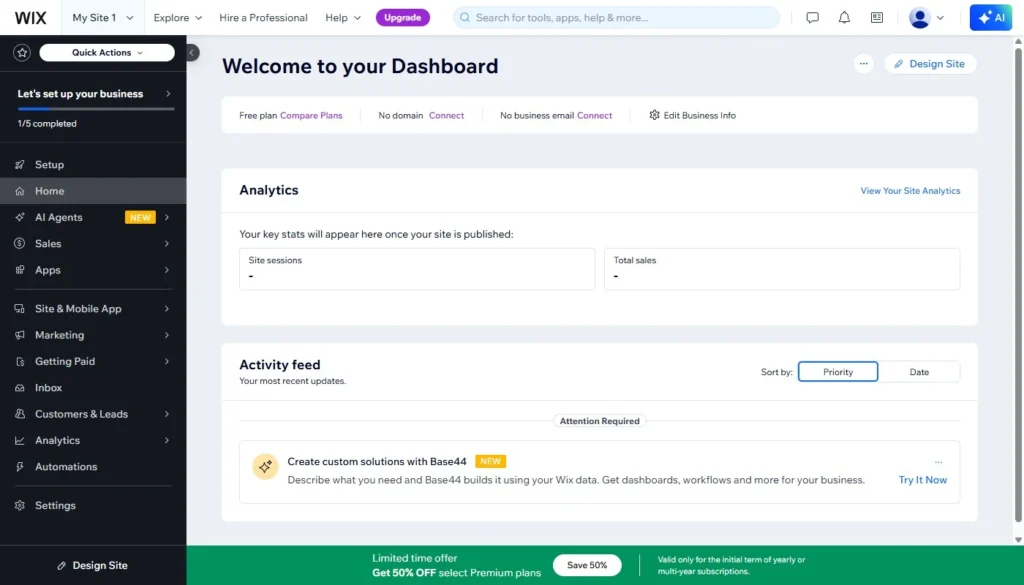
Wix combines many of these functions within the same hosted environment and also has an App Market for additional integrations.
I do not see the size of an app marketplace as a reason to migrate on its own. What matters is that the site has somewhere to go when the business adds a requirement later.
A company should not have to change its whole CMS because it suddenly needs bookings or a more involved contact workflow.
eCommerce is enough for many Weebly stores
This is where generic “best Weebly alternatives” lists often oversimplify the decision.
A Weebly website that sells products does not automatically belong on Shopify.
Many small-business sites do several jobs at once. They explain services, publish articles, attract search traffic, generate leads, show projects and sell a modest number of products.
For that kind of business, commerce is only one part of the site.
Wix can handle product management, inventory, orders, shipping and other common store tasks while keeping those functions inside a broader business website.
That is enough for many Weebly stores I review.
If store operations themselves are complex, Shopify becomes more interesting. But the presence of a cart alone is not enough to make that decision.
SEO migration is manageable
Any platform change creates some SEO risk.
During a Weebly-to-Wix migration, I would first look at the existing URLs, title tags, meta descriptions, headings, internal links and indexed pages.
Read Also:
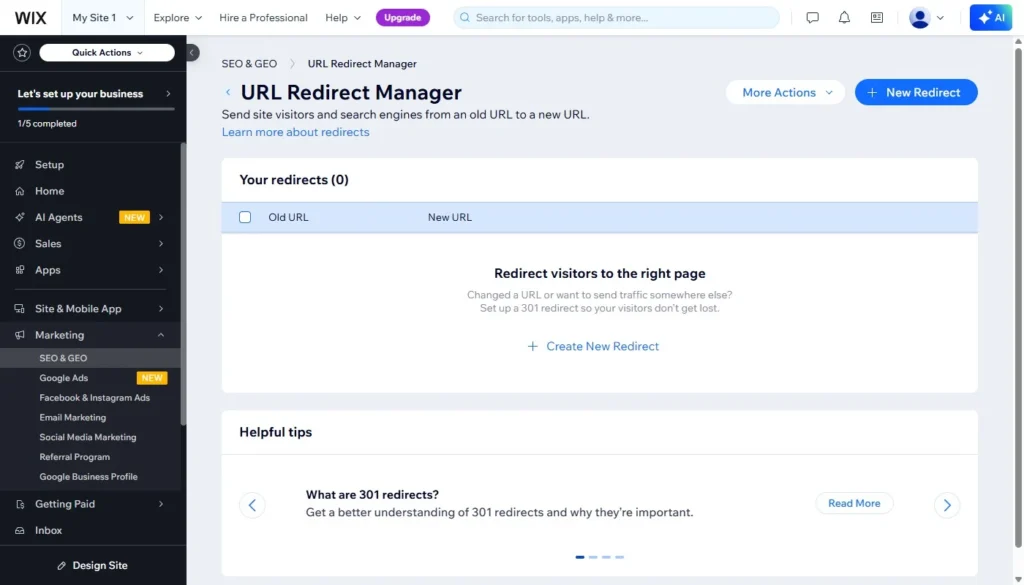
Where an old URL can be retained, I prefer to keep it. Where it cannot, Wix supports 301 redirects so the old address can point to the correct new page.
No platform can promise that Google rankings remain unchanged after a redesign or migration.
What you can do is avoid unnecessary changes and preserve the important signals that already exist.
Why Wix became my default recommendation
I do not recommend Wix simply because this website specializes in Weebly-to-Wix migrations.
The specialization came later.
I spent years working with and researching different website builders. As migration work became a larger part of what I was doing, I kept seeing the same kind of Weebly owner.
They were not asking for custom server infrastructure or a completely new technical model. They wanted to keep the convenience of a hosted visual builder but get past the design and development limits they were running into.
Wix kept fitting those cases.
That is why, for roughly 95% of the Weebly websites I would typically review, Wix is the first platform I look at. Again, that is a personal estimate from my own work, not an industry statistic.
For a direct platform comparison, read my full Weebly vs Wix comparison. I also cover Wix itself in more detail in my Wix review.
What moving from Weebly to Wix actually involves
A Weebly-to-Wix migration is normally a manual rebuild, not a one-click transfer.
The new site may retain:
- existing text;
- images;
- branding;
- page hierarchy;
- navigation;
- blog content;
- product information;
- forms and their purpose;
- internal links;
- titles and meta descriptions;
- important URL paths where possible.
But those elements have to be recreated inside Wix.
Some pages can be reproduced very closely. Others are better adjusted during the rebuild, especially if the original layout is part of the reason for moving.
Copying content is one task. Rebuilding the website so that its structure, navigation and useful SEO elements still work is the larger job.
WordPress: When You Have a Specific Reason to Accept More Technical Ownership
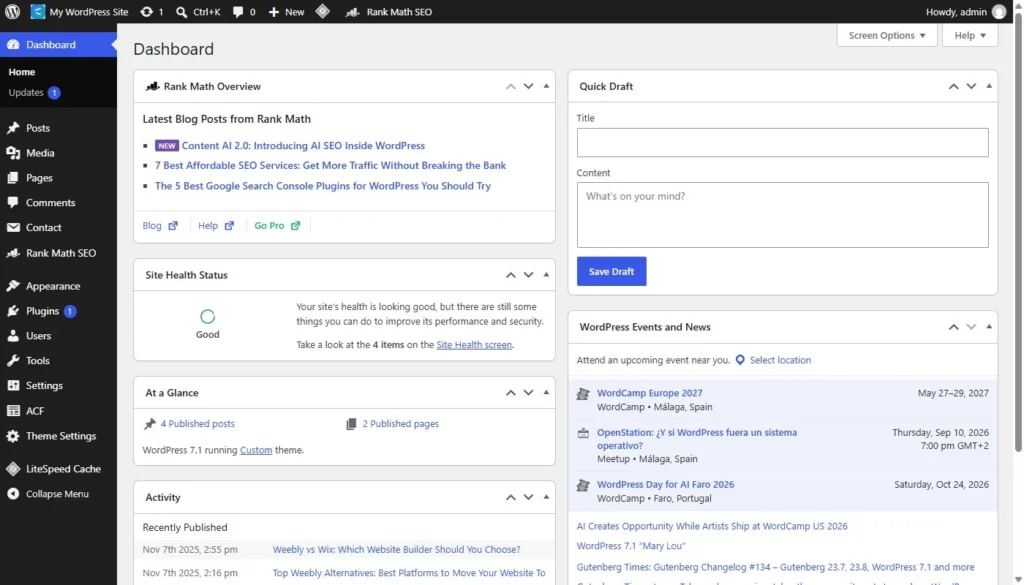
WordPress is the main open-source Weebly alternative in this comparison.
Its strength is flexibility. You can choose the hosting environment, change the software, build custom functionality and use a huge range of themes and plugins.
That is useful when a project actually needs those things.
It is less useful when “more control” simply means taking responsibility for tasks the business did not have before.
A WordPress site has to be hosted somewhere. Core software, themes and plugins need updates. Backups and security need attention. Plugins can conflict or become unsupported. A managed host or developer can handle much of this, but the work does not disappear.
When I would actually choose WordPress
I would seriously consider WordPress if:
- open-source software is a requirement;
- the organization needs self-hosting;
- a specific WordPress plugin is central to the project;
- custom PHP or server-side functionality is required;
- the website has unusual content structures;
- the company already has WordPress infrastructure;
- an internal technical team specifically wants to manage WordPress.
In those cases, the added technical ownership has a purpose.
When I would not
I would not move an ordinary Weebly business website to WordPress just because WordPress can theoretically do more.
If the real requirements are a better design, easier editing, stronger business tools and more room for the site to grow, Wix often solves them without adding hosting and plugin maintenance.
More control is useful only when you need to control something.
Shopify: When Commerce Requirements Drive the Platform Choice

Shopify deserves serious consideration for the right Weebly store, but I do not use the rule “store equals Shopify.”
Shopify is built around commerce operations.
Its strengths become clearer with larger catalogs, inventory workflows, multiple locations, fulfillment processes, specialized apps and businesses where online retail is the core operation.
When I would actually choose Shopify
I would look at Shopify first when:
- online commerce is the core of the business;
- the catalog is large or operationally complex;
- stock is managed across multiple locations;
- specialized Shopify apps are essential;
- fulfillment and order processes are sophisticated;
- the business already uses Shopify or Shopify POS;
- store operations determine the architecture of the website.
In those situations, choosing a commerce-first platform is easy to justify.
When Wix may still be the better fit for a Weebly store
Many Weebly stores are part of a broader business website.
The site may also:
- explain services;
- publish articles;
- generate inquiries;
- rely on organic search;
- show projects or portfolios;
- support a wider company brand;
- sell a fairly small catalog.
For those projects, Wix is often the first option I would still examine.
Shopify becomes the stronger choice when the commerce requirements themselves justify it, not simply because the current website happens to accept online orders.
Wix vs WordPress vs Shopify for an Existing Weebly Site
| Area | Wix | WordPress | Shopify |
| Best fit | Most Weebly business websites | Projects needing open-source or custom architecture | Commerce-led businesses with specialized requirements |
| Hosting | Managed | Host-dependent / self-hosted model | Managed |
| Routine maintenance | Low | Higher | Low |
| Design flexibility | High | Very high, depending on implementation | Good, but more commerce-oriented |
| SEO control | Strong | Very strong with appropriate tools | Strong |
| eCommerce | Strong for many SMBs | Usually plugin-based, often WooCommerce | Core platform strength |
| Technical responsibility | Low | High | Low to medium |
| Typical Weebly migration | Manual rebuild | Manual rebuild | Store data migration plus site rebuild |
| Main limitation | Not ideal for every custom technical architecture | Maintenance and technical overhead | Can be excessive when commerce is only one part of the site |
| My default recommendation | Yes | Only with a specific reason | Only with specific commerce requirements |
The platforms are not meant to be interchangeable.
A WordPress project can be technically more flexible than Wix and still be the wrong choice for a business that does not want to manage a technical stack.
Shopify can be a better commerce system and still be unnecessary for a company with twenty products and a website primarily used for services and lead generation.
That is why I prefer to start with the operating needs of the website rather than the longest feature list.
Free and Open-Source Weebly Alternatives
Searches for a “free Weebly alternative” and an “open-source Weebly alternative” usually refer to two different things.
WordPress.org is the open-source option among the three platforms covered here.
The software is free, but a production website still needs hosting. Depending on the project, there may also be costs for themes, plugins, development and maintenance.
Wix and Shopify are hosted commercial platforms.
Wix has a free option, but I would not choose the destination for an established business site mainly because one platform has a free plan.
The cost of rebuilding on the wrong system is usually much greater than the difference between normal website subscriptions.
Think About the Next Migration Too
One of the easiest mistakes is to choose a replacement based entirely on the problem you have with Weebly today.
I also work with website owners who later start looking at moves from WordPress or Shopify to Wix.
That does not mean WordPress or Shopify failed them.
Sometimes the WordPress setup gradually became more technical than the business wanted to maintain. Sometimes a site moved to Shopify because it sold products, then evolved into a broader services, content and lead-generation website where commerce was no longer the dominant requirement.
The original platform was capable. It just stopped fitting the way the business worked.
That is why I am cautious with rules such as:
“WordPress gives you the most control.”
“Shopify is best for stores.”
Both statements can be useful shorthand, but neither is enough to make a migration decision.
The better question is whether you actually need the type of control or specialization the platform introduces.
Why Wix Is My First Choice for Most Weebly Migrations
Most Weebly owners I speak with are not looking for a completely different way to operate a website.
They usually want to keep the parts that were convenient:
- visual editing;
- managed hosting;
- low technical maintenance;
- the ability to make routine changes themselves.
At the same time, they want more freedom with page layouts, mobile design, business functionality and future development.
That combination is why I usually start with Wix.
It is also how Weebly-to-Wix.com ended up specializing in this particular migration path. I did not begin with the assumption that every Weebly site should go to Wix and then build the recommendation around the service.
The migration work led to the specialization because Wix kept making sense for the kinds of websites I was reviewing.
That distinction matters to me because WordPress and Shopify are both excellent platforms in the right project. I simply would not add their extra technical ownership or commerce specialization unless the site actually benefits from it.
What Happens When You Move Away from Weebly?
Whichever destination you choose, moving an established website involves much more than opening a new account.
You may need to deal with:
- pages;
- written content;
- images;
- navigation;
- layouts;
- branding;
- blog posts;
- store products;
- categories;
- forms;
- integrations;
- internal links;
- title tags;
- meta descriptions;
- existing URLs;
- 301 redirects.
The details vary by platform.
A Wix migration is usually a manual reconstruction inside Wix.
A WordPress migration also requires decisions about hosting, theme structure, plugins and how Weebly-specific functions should be recreated.
With Shopify, some store data can be moved more structurally, but the storefront, content pages and wider site still need to be configured or rebuilt.
SEO deserves attention in all three cases.
Rankings cannot be guaranteed after a platform change, but many unnecessary losses can be avoided by documenting the existing site, keeping URLs where practical and redirecting old addresses when they change.
How I Handle a Weebly to Wix Migration
For the Weebly-to-Wix migration service, I use a fixed process rather than treating the project as a collection of pages to copy.
- Free Website Review I review the existing Weebly website and identify what needs to be recreated.
- Fixed Migration Quote You receive a fixed quote based on the actual website and migration scope.
- Manual Wix Rebuild I build the Wix version separately. Your existing Weebly site stays live while I work on the replacement.
- Final Review You review the completed Wix site before handover.
- Final Payment & Site Handover After approval and payment of the remaining balance, I transfer the completed Wix website to you.
The project ends at Site Handover.
You connect the domain and publish the new Wix site yourself. Domain connection, launch support and post-launch support are not included.
Get a Free Weebly Migration Review
FAQ
What is the best alternative to Weebly?
For most existing Weebly business websites I review, Wix is the first alternative I consider. It keeps the hosted, visual website-builder approach while giving the site more room for redesign, business functionality and future development. WordPress and Shopify may be better when the project has specific technical or commerce requirements.
What website builder is most similar to Weebly?
Of the three platforms covered here, Wix is the closest in terms of how the owner manages the site. Both are hosted platforms with visual editing. Wix has a more capable editor and a broader set of tools, but moving to it does not require adopting a self-hosted CMS workflow.
What is the best open-source alternative to Weebly?
WordPress. It gives you much more technical ownership over the software and hosting, but that also means somebody has to manage updates, plugins, backups, security and compatibility.
That trade-off makes sense when a project needs the control WordPress gives you.
Is Wix a good replacement for Weebly?
For many small and medium-sized Weebly business websites, yes. I would especially consider it if the site needs a redesign, more mobile control, stronger business tools or more room for future development without moving to a self-hosted setup.
Should a Weebly store move to Shopify?
Not necessarily. Shopify is a strong choice when online retail is the core of the business and store operations are complex enough to justify a specialized commerce platform. For a business website that also happens to sell a moderate number of products, Wix may still be the better fit.
Can I move from Weebly without losing SEO?
No one can guarantee unchanged rankings after a migration. What you can do is preserve important content and metadata, keep URLs where possible, set up 301 redirects where URLs change, rebuild internal links carefully and monitor the new site after publication.
That reduces avoidable migration problems without making promises about Google’s rankings.
Final Verdict: Which Weebly Alternative Should You Choose?
For roughly 95% of the Weebly websites I typically see in my own migration work, Wix is the first replacement I would evaluate.
It keeps much of what made Weebly convenient while giving the website more space to grow in areas such as design, mobile presentation, business tools and SEO management.
WordPress can be the better choice when open-source ownership, self-hosting or custom technical architecture is genuinely part of the project.
Shopify can be the better choice when commerce operations are complex enough to determine the platform itself.
Neither should be selected just because it is more powerful in one category. A store does not automatically need Shopify. Wanting more control does not automatically mean WordPress. And Wix is not automatically right simply because the site is currently on Weebly.
For most of the sites I work with, though, Wix strikes the best balance between giving the business more room to develop and keeping day-to-day website management relatively straightforward.
That is why it is usually the first Weebly alternative I recommend.