Wix Review for Weebly Users: Is It Worth Moving to Wix?
If you already have a website on Weebly, reviewing Wix is different from choosing a website builder for a brand-new project. You are not starting with a blank page. You already have pages, content, images, navigation, URLs, perhaps search rankings, and a site that customers know.
The real question is not simply “Is Wix good?” It is: will moving an existing Weebly website to Wix give you enough practical benefits to justify rebuilding it?
For many Weebly website owners, the answer is yes. Wix gives you more freedom over design, stronger business tools, a larger range of integrations and considerably more room to develop the site after migration. But moving platforms is not the same as importing a document. Your existing website needs to be reconstructed carefully, with attention to its content, structure and SEO.
This Wix review looks at the platform from that specific perspective.
A Quick Verdict
Wix is one of the more logical upgrade paths for a Weebly website that has outgrown its current platform.
The main advantage is the amount of control you gain after the move. A site that was difficult to redesign, expand or adapt in Weebly can be rebuilt with greater control over page layouts, mobile presentation, business functionality and future changes.
Wix is also a much more actively developed platform. In 2026 its website-building environment includes the established Wix Editor, the newer Wix Harmony Editor, which combines drag-and-drop editing with AI assistance, and Wix Studio for professional responsive design work.

There is a significant trade-off: you should not expect an existing Weebly site to move into Wix as a complete editable website with one import.
A proper Weebly-to-Wix migration is normally a rebuild. The visible website, content and important structural elements can be preserved, but they have to be recreated within Wix.
That additional work is worthwhile when the move solves a real problem: an outdated design, limited editing options, insufficient business features or a platform that no longer gives the site enough room to grow.
What Is Wix and What Is It Used For?
Wix is a cloud-based website builder: sign up, build inside a browser, and Wix takes care of hosting, security, and the infrastructure behind the scenes. There’s no server to configure and nothing to install. Wix is used for the same range of things Weebly is used for — business websites, portfolios, blogs, online stores, and booking-based service sites, but the ceiling is considerably higher.
There are three ways to build on Wix: the classic Wix Editor for drag-and-drop design, a conversational AI-assisted builder that generates a first draft from a written description of your business, and Wix Studio, aimed at more advanced, agency-grade projects. Weebly, by comparison, offers one editor and a fixed set of block-based layout options.
What separates Wix from a narrower builder like Weebly isn’t any single feature — it’s breadth. Business tools, native blogging, native eCommerce, a large app market, and detailed SEO controls all live inside one account rather than being bolted on afterward. For someone who already runs a live Weebly website, though, the more useful question is what actually changes for your specific site once it moves.
Key Wix Features for Weebly Users
Weebly became popular partly because its editor made site creation approachable. Wix follows the same no-code principle but allows substantially more freedom over how a page is constructed.
Visual Website Editing
Text, images, buttons, forms and other elements can be positioned and adjusted visually. Sections can be redesigned without rebuilding the entire website around a rigid template structure.
For a Weebly migration, that matters because the goal is not always to reproduce every page pixel for pixel. You may want to preserve the recognizable design while fixing spacing, reorganizing calls to action or improving pages that have become awkward over time.
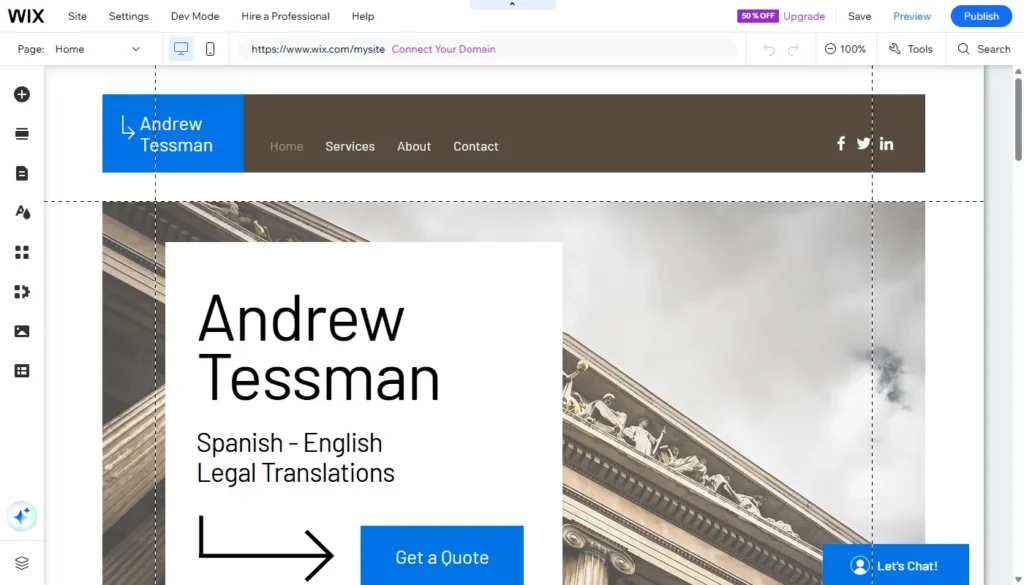
The newer Wix Harmony Editor adds another option. It retains visual editing while incorporating AI assistance for generating and modifying parts of the site.
Templates and Design Flexibility
Wix currently offers a large collection of website templates covering business sites, services, portfolios, stores and many other use cases.
That number is less important during a migration than it would be for a new site. An existing Weebly website already has a visual identity. Starting from a completely unrelated Wix template may create more work rather than less.
Instead, a template or blank layout can provide the technical foundation while the important characteristics of the Weebly site are rebuilt: colors, typography, page hierarchy, imagery, navigation and recognizable brand elements.
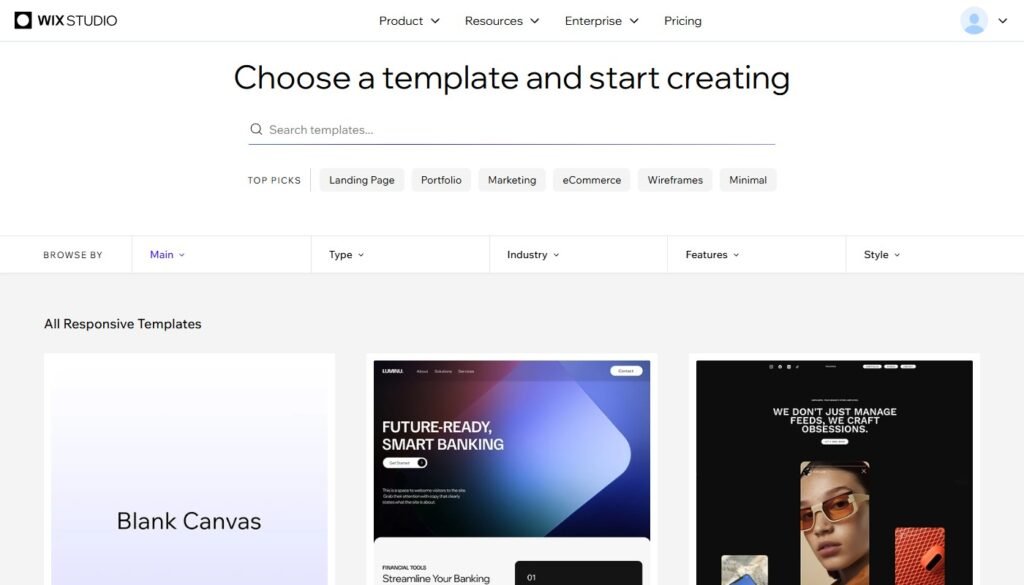
The larger gain comes later. Once the website is inside Wix, future redesign work is less constrained by the structure that existed in Weebly.
Business and eCommerce Tools
A simple brochure website may need little more than pages and a contact form. Other businesses eventually need online payments, appointment scheduling, a store, events, customer management or marketing features.
Wix combines many of these functions with the main website platform. Current Wix products support features such as eCommerce, scheduling, payments, CRM and marketing tools.
That does not mean every Weebly site needs to acquire additional functionality during migration. Quite often the better approach is to rebuild what the business actually uses first and leave unnecessary features out.
The advantage is that adding functionality later does not necessarily require another platform change.
SEO Tools
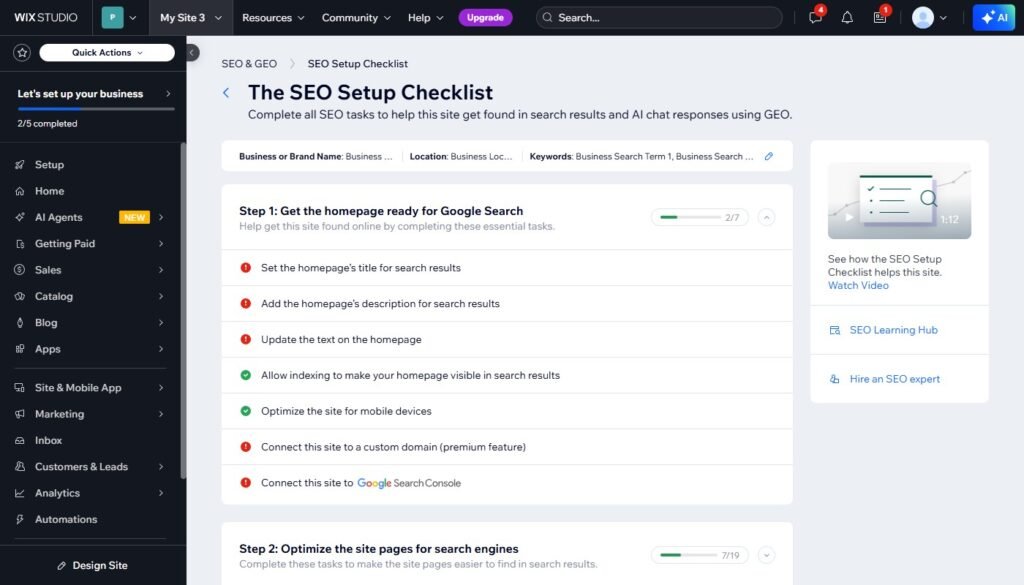
Wix lets site owners manage page title tags, meta descriptions, URL slugs, indexation settings, canonical information and additional SEO settings.
There is also an SEO Setup Checklist and tools for connecting an upgraded site with a custom domain to Google Search Console.
For a Weebly owner, these tools matter most during the transfer itself. Having good SEO settings available in Wix does not protect rankings automatically. The old site’s URLs and existing on-page information still have to be handled correctly.
Apps and Integrations
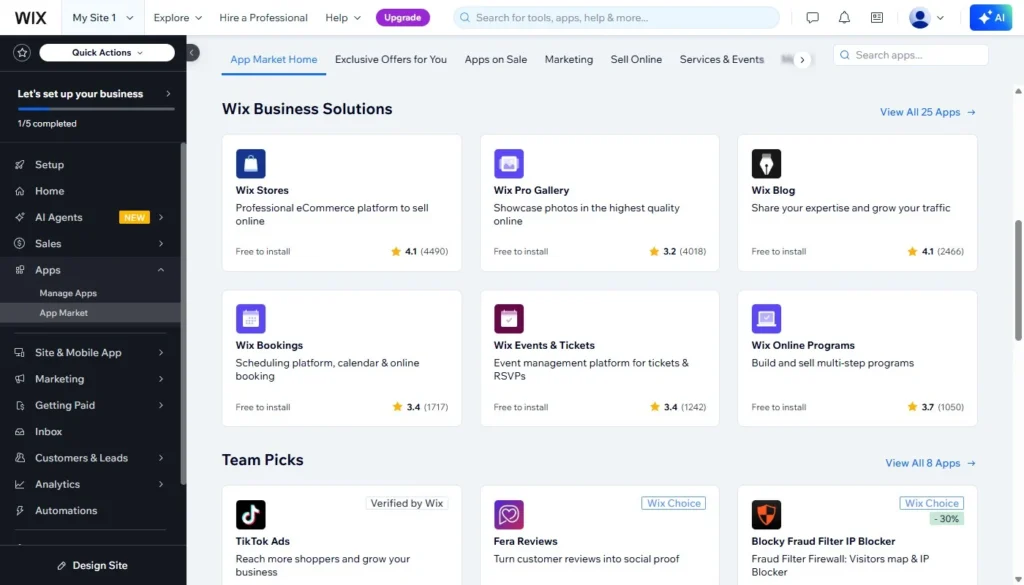
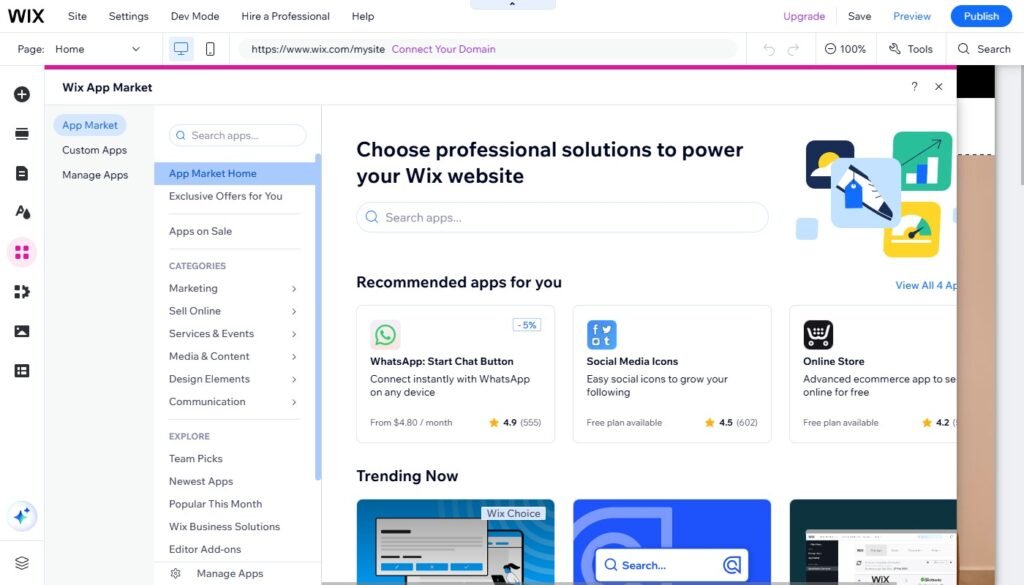
Wix has an App Market alongside its native business applications. This gives a migrated site more options if built-in functions are not sufficient.
A Weebly application cannot simply be transferred into Wix. The equivalent functionality needs to be identified and recreated using a Wix feature, a Wix app or another compatible integration.
This is one of the areas that should be reviewed before a migration begins. A simple contact form is straightforward; a site built around several third-party widgets may require more planning.
AI Tools
AI is now integrated much more deeply into Wix than it was when Wix ADI first appeared.
The current Wix AI Website Builder can generate a site from a description, and Harmony includes AI tools for generating content, pages, sections and other elements while you work.
For an existing Weebly site, however, AI should not be confused with migration.
Generating a new page is different from examining an existing page and deciding which content, layout details, URLs and SEO elements need to survive the move. AI can assist with redesign work, but it does not remove the need for a controlled rebuild.
Wix Studio: Does It Matter When Moving from Weebly?
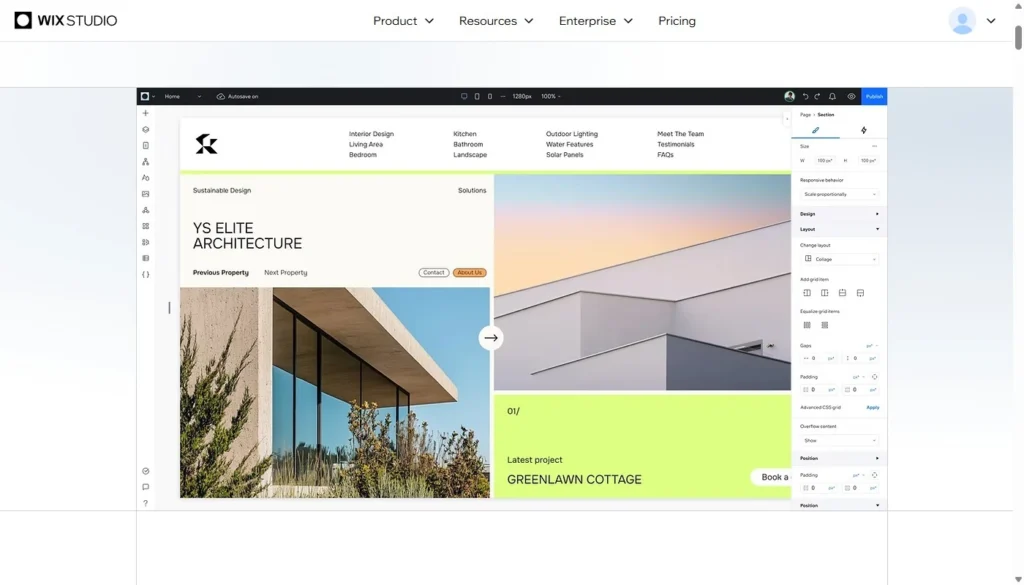
Wix Studio is the professional part of the Wix platform aimed primarily at agencies, designers and teams working on client projects.
If you have seen older references to Editor X, this is the product history behind Studio. Editor X completed its transition to Wix Studio, and remaining Editor X sites were moved into the Studio environment.
Studio gives a designer more control over responsive behavior, reusable design systems, breakpoints, team workflows and more complex layouts.
Does your Weebly website need it?
Often, no.
A typical small-business website with standard pages, contact forms, galleries or straightforward business functions can be rebuilt without choosing Studio simply because it is the more advanced editor.
Studio becomes more relevant when the existing site needs:
- a substantial visual redesign;
- more sophisticated responsive layouts;
- detailed breakpoint control;
- complex reusable sections;
- a more design-intensive reconstruction.
This is one reason a “Wix Studio review” cannot really answer the migration question by itself. The right editor depends on the site being rebuilt.
What You Gain by Moving from Weebly to Wix
The strongest case for migration appears when you look beyond the launch day.
More design flexibility. Existing pages can be reconstructed without being tied as closely to the limitations of the old Weebly layout.
Easier ongoing editing. After handover, normal content changes can remain visual and accessible to a non-technical site owner.
Broader business functionality. Stores, bookings, payments, marketing tools, customer management and other functions can be added as requirements change.
More integration choices. If the site develops beyond basic pages and forms, Wix gives you a larger range of ways to extend it.
Better opportunities for future development. A migration can solve the immediate problem while giving the website more room for later redesigns or new functionality.
More control over mobile presentation. This is especially useful for older Weebly websites whose mobile layout no longer presents key content as clearly as it should.
None of these benefits means every Wix site is automatically better than every Weebly site. A well-built, simple Weebly website that still does its job may be more useful than a badly planned Wix replacement.
The improvement comes from combining the stronger platform with a sensible rebuild.
If you are still deciding between staying on Weebly and moving, a separate Weebly vs Wix comparison looks at the platforms themselves in more detail.
What Happens to Your Existing Weebly Website?
This is where migration differs most from starting a new Wix project.
A Weebly-to-Wix migration should be treated as a careful rebuild, not simply as a file transfer.
The old website acts as the source. Its important parts are identified, transferred or recreated, and assembled again inside Wix.
In practical terms:
- Pages: the required pages are recreated in Wix.
- Text: useful existing copy can normally be retained rather than rewritten unnecessarily.
- Images: existing visual assets can be moved where appropriate.
- Navigation: menus and page relationships need to be recreated.
- Layout: the visual structure can be reproduced closely or improved during the rebuild.
- Branding: logos, colors, typography and recognizable design elements can be retained.
- Blog content: posts and their structure need separate attention rather than assuming the old blog system will become a Wix Blog automatically.
- Store content: products, categories and store functionality need to be mapped to Wix’s eCommerce system.
- Forms: Weebly forms need to be recreated using Wix or another compatible solution.
- Integrations: each external service should be checked for a Wix-compatible replacement or connection.
- Internal links: links between pages need to point to the correct new destinations.
- SEO elements: URLs, titles, descriptions and other important search information should be recorded before the old site is replaced.
Some parts of a website can therefore be preserved almost exactly. Others are preserved in purpose rather than technology.
A contact form, for example, may look and behave much like the original but it is a new Wix form underneath. The same principle applies to many widgets and platform-specific features.
That is also why I do not recommend deleting or disrupting the existing Weebly website while the replacement is being built. The old site can remain live while the Wix version is prepared separately.
Wix SEO After a Weebly Migration
SEO is one of the areas where a migration needs the most discipline.
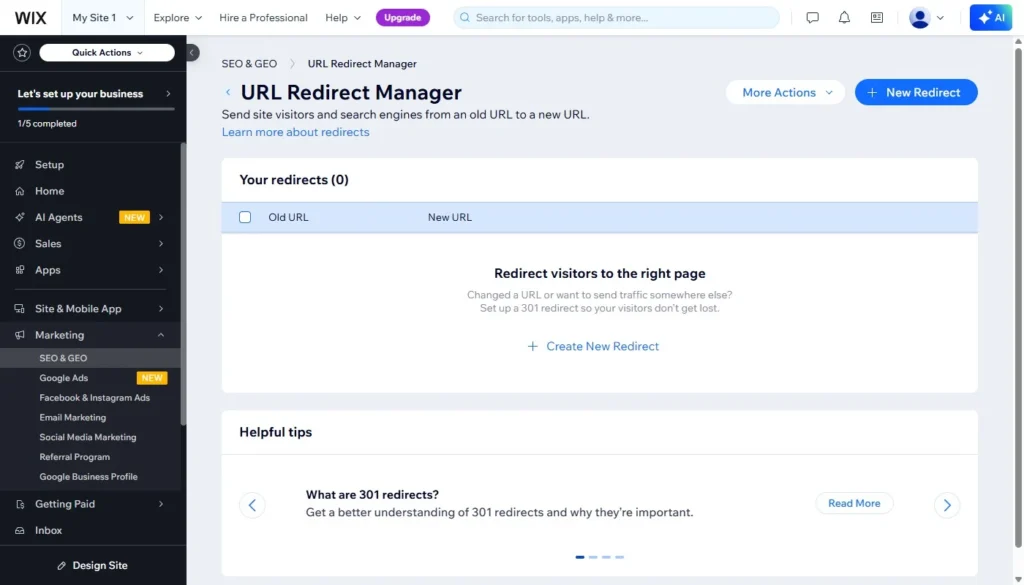
Wix has the controls required to manage titles, meta descriptions, URLs, indexation and other page-level settings. It also provides a URL Redirect Manager for creating 301 redirects, including redirects specifically needed when a site has moved to Wix.
But the availability of those tools is only the beginning.
Before rebuilding a Weebly site, I would want to identify:
- important indexed pages;
- current page URLs;
- page titles and meta descriptions;
- heading structure;
- image alt text where relevant;
- internal links;
- pages receiving organic traffic;
- URLs that have external links pointing to them.
Where possible, keeping an existing URL structure reduces unnecessary changes. If a Weebly URL cannot be reproduced in Wix, the old URL should be mapped to the appropriate new destination with a 301 redirect.
Wix supports redirect management for sites that have moved to the platform and can also import redirects in bulk.
After the migration, Google Search Console becomes useful for checking indexation, crawl issues and how Google is processing the new site.
What SEO migration cannot do is guarantee that every ranking remains unchanged. Search engines may reassess pages after a platform change, redesign or content change.
The goal is to preserve what should remain, avoid unnecessary URL changes, redirect what must change and make sure important on-page signals are not accidentally lost during the rebuild.
Wix Pros and Cons for Weebly Users
Pros
- Greater freedom to redesign existing pages.
- More control over layout and mobile presentation.
- Broader business and eCommerce functionality.
- More options for apps and integrations.
- Strong page-level SEO controls.
- Multiple editing environments for different levels of complexity.
- More room to expand the website without another immediate platform migration.
- Active development of the Wix editing platform.
Cons
- Your existing Weebly website normally needs to be rebuilt rather than transferred as a finished site.
- Weebly-specific features and applications cannot always be reproduced one-to-one.
- Complex custom functionality can increase the amount of migration work.
- The Wix subscription becomes an ongoing website expense.
- SEO-sensitive websites require careful URL and redirect planning.
- Wix has enough tools and editor options that the platform can initially feel more complex than a simple Weebly setup.
For many business sites, the first disadvantage is also the main reason to plan the project carefully. A rebuild takes more work than an automated import, but it also gives you the opportunity to remove old limitations rather than carrying all of them into the new platform.
Weebly vs Wix: The Practical Difference
This is not intended to replace a full platform comparison. For an existing Weebly owner, the practical difference can be summarized more simply:
| Area | Weebly | Wix after migration |
| Editing | Simpler but more limited | More flexible |
| Design | More restrictive | Greater layout control |
| Mobile | Less room for adjustment | More presentation control |
| Apps | Smaller range | Wider range of extensions |
| Business tools | More limited | Broader built-in functionality |
| SEO | Basic controls | More extensive controls |
| Future development | Increasingly restrictive | More room to expand |
You can also look at a current Weebly review for a closer examination of what the platform still does well and where its limitations are now more noticeable.
If Wix is not yet an obvious choice, the top Weebly alternatives guide covers other possible destinations without assuming that every Weebly site should go to Wix.
Wix Pricing: What Changes After You Move
One point of confusion worth clearing up early: your Wix subscription and your migration cost are two separate line items, not one bundled price.
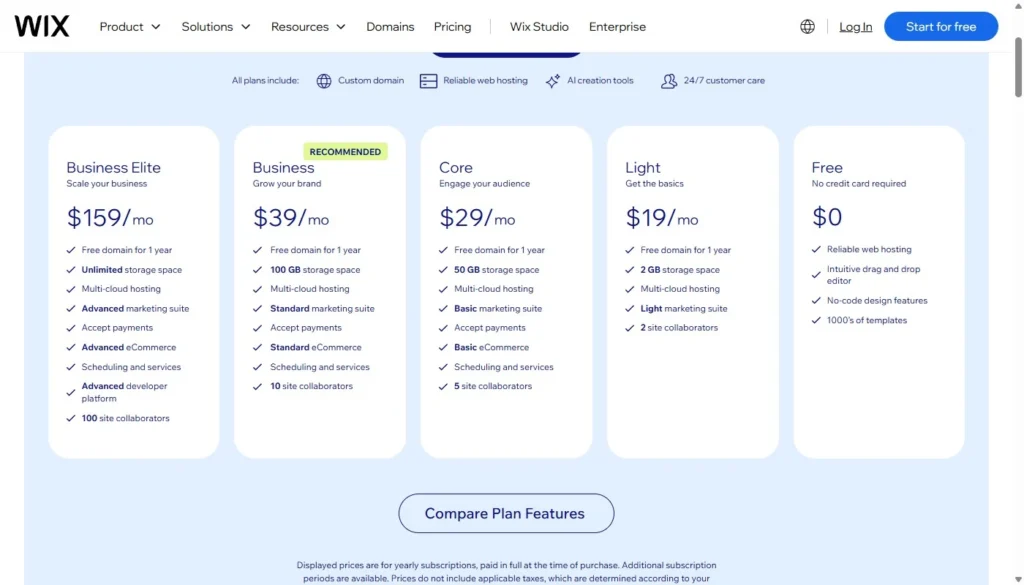
Wix’s own subscription, paid directly to Wix, currently spans four main tiers on the standard Wix Editor: Light, Core, Business, and Business Elite, running roughly from the high teens up to around $150+ per month on annual billing, depending on the tier.
Wix Studio has its own, separate plan structure for agency-grade projects. Which tier you actually need depends on what the rebuilt site does: a brochure-style business site needs less than one that sells products or takes bookings with payment.
What that Wix subscription doesn’t cover is the work of rebuilding your existing Weebly site inside it. That’s a separate, one-time cost, scoped around the size and complexity of the site being migrated.
Who Should Move from Weebly to Wix?
Moving makes sense when there is a clear reason to change the platform.
You are likely to benefit if:
- the Weebly editor is limiting changes you want to make;
- the website needs a redesign anyway;
- you need business features that are difficult to add to the existing site;
- mobile presentation needs improvement;
- the website is still an active part of the business and continues to evolve;
- you want to make future content and design changes without being constrained by the current setup.
There is less reason to migrate simply because Wix has more features on paper.
You may be better off leaving the site where it is for now if:
- it is extremely simple;
- you rarely make changes;
- it already works well for its purpose;
- there are no new business requirements;
- the platform is not creating any practical problem.
Migration should solve something. If the only result is the same website on a different subscription, the value is questionable.
How I Handle a Weebly to Wix Migration
My work on Weebly-to-Wix.com is focused specifically on existing Weebly websites rather than generic new-site development.
The process is straightforward:
- Free Website Review I review the existing Weebly site and the scope of what needs to be rebuilt.
- Fixed Migration Quote You receive a fixed quote based on the actual site rather than an open-ended development estimate.
- Manual Wix Rebuild I rebuild the website separately in Wix. Your existing Weebly website remains live during this work, so the migration project does not require taking the current site offline while the replacement is being prepared.
- Final Review You review the rebuilt Wix website before handover.
- Final Payment & Site Handover After approval and final payment, I transfer the completed Wix site to you.
The project ends with Site Handover. You connect your domain and publish the site yourself after receiving it. Domain connection, launch work and post-launch support are not included as part of the migration process.
Get a Free Weebly Migration Review
Final Verdict: Is Wix Worth Moving to from Weebly?
For a Weebly owner who wants to keep developing an existing website, Wix is a strong upgrade path.
It gives you more control over design, mobile presentation and future changes, while adding business, SEO and integration options that can become useful as the site grows.
That does not mean moving is automatically the right decision.
You might also like:
If your Weebly site is small, stable and still meets every requirement, rebuilding it elsewhere may offer little immediate value. Wix becomes more compelling when the existing platform is already limiting what you want the website to do.
The most important part of the move is not changing the logo in your website dashboard from Weebly to Wix. It is rebuilding the existing site without discarding useful content, recognizable branding, working structure and important SEO elements.
Handled that way, migration becomes an opportunity to preserve what already works while fixing the parts of the Weebly site that have become difficult to develop further.